
GoodSync 是一款专业的数据同步与文件备份工具,支持双向同步、单向备份以及多种自动化同步方式,可连接 FTP、NAS 和多种云存储服务,方便在电脑、服务器及不同存储设备之间快速同步文件。软件还提供 AES-256 加密、实时监控、定时任务和文件冲突处理等功能,适合重要资料备份、多设备文件同步以及日常数据维护。SALANGHE 提供 GoodSync Pro v12.11 中文绿色便携版,无需安装,下载解压后即可使用。
# 新版变化
GoodSync Version News – Windows
https://www.goodsync.com/news-windows
GoodSync 12.x 主要功能更新介绍:
1.网盘同步更给力
- 能直接同步 谷歌共享文件夹(比如团队协作资料),不用再手动折腾路径。
- 修复企业级网盘(如微软Graph)的分页列表抽风问题,大公司用着更稳。
2.下文件更快更聪明
- 下大文件时,只传修改的部分(比如改了个PPT里一页,不用重传整个文件)。
- 启动软件快得像双击微信,尤其开资源管理器时不再卡成PPT。
3.防黑客偷备份
- 给备份文件加了“保险锁”(AES-256加密),黑客删不掉也改不了。
- 账户密码现在必须手动填,不会自动记住,防止被偷窥。
4.操作界面更顺手
- 批量下磁力链时,可以自动给文件改名,避免重复文件名称出现打架。
- 远程控制电脑时(比如用RDP)点取消按钮终于正常了,不强制关闭。
# 软件特点
- GoodSync 采用独创算法,可在数秒内完成大量文件的同步与比对。
- 支持多种存储介质与协议,覆盖本地磁盘、网络硬盘及云端平台。
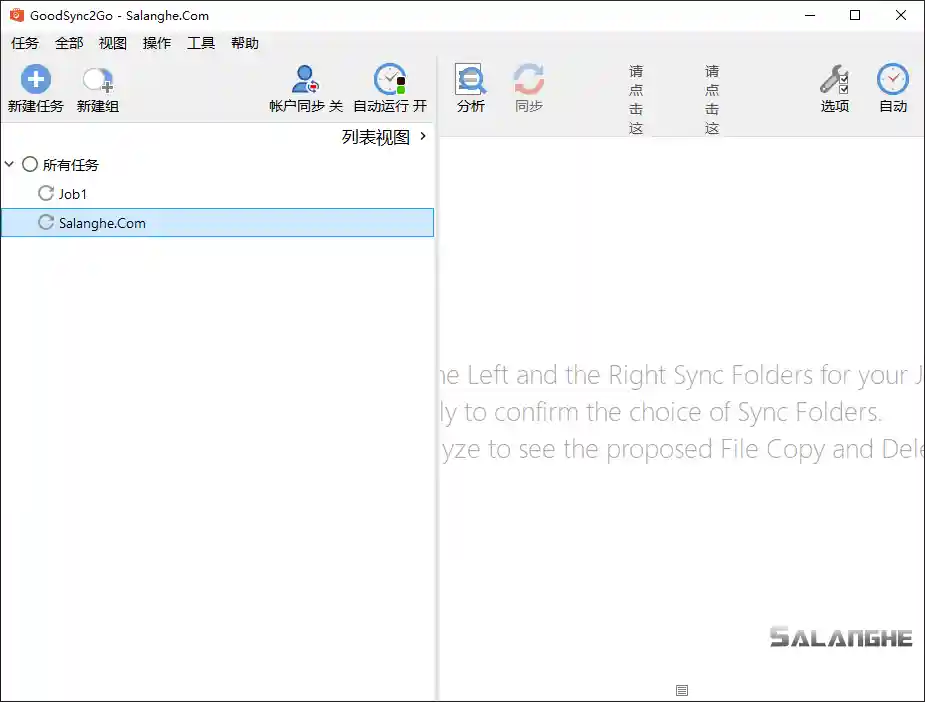
- 软件界面直观,操作简便,可视化展示同步状态与任务进度。
- 支持自动与手动两种同步模式,满足不同场景需求。
- 提供 AES 256 位加密,确保文件传输与备份过程安全无泄漏。
# 功能特性
- 多平台同步:支持 Windows、macOS、Linux 与移动端设备。
- 双向同步:可实现文件在两端自动更新与一致性保持。
- 云端兼容:支持 Google Drive、Dropbox、OneDrive、Amazon S3 等主流云存储。
- 定时任务:可自定义同步间隔或设定触发条件实现自动化操作。
- 版本管理:保留文件历史版本,便于追溯与恢复。
- 断点续传:在网络中断后自动恢复未完成任务,确保完整同步。
- 数据加密:传输过程中启用高级加密标准保障数据安全。
- 冲突检测:智能识别并提示文件冲突,防止误覆盖。
- 日志记录:详细保存任务执行历史,方便追踪与审计。
- 批量任务:支持多同步任务同时运行,提升操作效率。
# 特点描述
by Elchupacabra
- 批处理启动自动绑定磁盘免登陆,注册专业版许可证无限制使用
- 采用AI完整翻译,更新补全中文翻译删多语言,去联网检测升级
- 便携版配置保存在Profile文件夹,首次请运行GoodSync.bat
# 下载地址
GoodSync 12.11.9.9 Multilingual + Portable (2026/10/06)
https://www.goodsync.com/download/GoodSync-v11-Setup.exe
https://www.goodsync.com/download/GoodSync-v11-Setup.msi
https://www.goodsync.com/download/GoodSync-v12-2Go-Setup.exe