
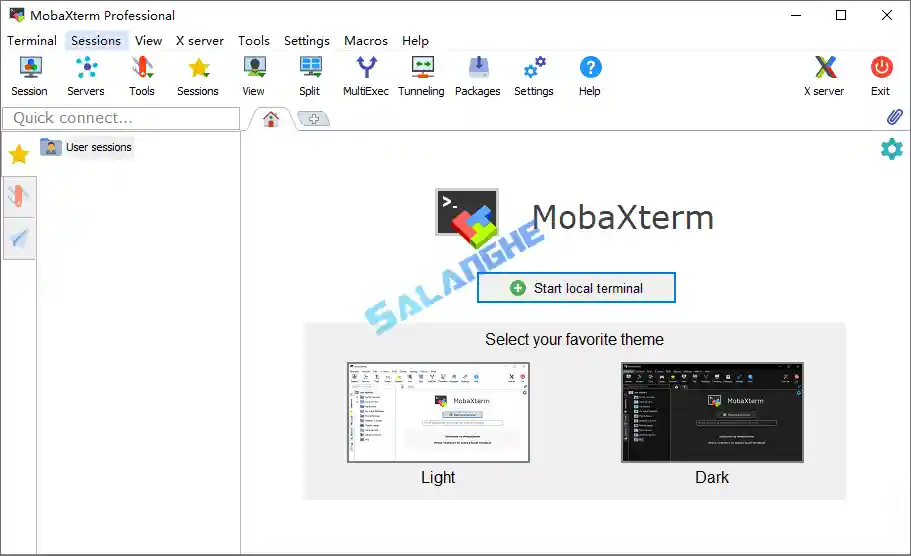
MobaXterm 是一款面向专业用户打造的多合一终端与远程管理工具,将 SSH、SFTP、RDP、VNC 等操作集成在统一界面中,大幅简化跨系统连接流程。它内置完善的 Unix 环境,并以分屏、多会话标签与便携化设计提升操作效率,适合服务器管理与运维场景。软件支持多协议加密,搭配丰富插件扩展能力,让远程操作更灵活安全,同时兼顾个人与企业级使用需求,通过 远程连接 与 终端工具 的深度整合实现高效协同。
# 新版变化
https://mobaxterm.mobatek.net/download-home-edition.html
Version 25.4 (2025-11-28)
- New feature: you can now use the Windows SSH agent to authenticate to your SSH sessions
- Improvement: added a new option in macros to include another macro
- Improvement: added milliseconds in terminal logs timestamps
- Improvement: improved the default syntax highlighting in MobaTextEditor
- Improvement: added Ctrl+Backspace keyboard shortcut to delete the last word in text fields
- Improvement: improved startup speed and MobaXterm closing speed
- Improvement: several new external PuTTY-based SSH agents are now supported in SSH/SFTP sessions
- Improvement: better detection of long URLs when ctrl+clicking into the terminal
- Improvement: you can now toggle between relative and absolute paths for root and home folders in the Customizer
- Improvement: improved the paste and search feature in MobaTextEditor and MobaTextDiff
- Improvement: enhanced the MobaXterm debug file, especially the event viewer section
- Improvement: user identity can now be confirmed by using the “Windows Hello” mechanism (fingerprint or face recognition)
- Improvement: better detection of the current explorer path for the “Popup Console” in the latest Windows 11 updates
- Improvement: added a new “floating window” setting for the Popup Console spawned using Ctrl+Alt+M
- Improvement: better detection of text files format (UTF-8 or ANSI) in MobaTextEditor and MobaTextDiff
- Improvement: added a button to toggle between dark and bright theme in MobaFoldersDiff
- Improvement: auto-detection of SSH sessions to Cisco devices that need a filtered KEX list to work properly
- Improvement: added a new expert SSH setting “Chokes on full KEXINIT” for SSH servers that have a KexInit list limit
- Improvement: better identification of old SSH servers that need some SSH tweaks to work properly
- Improvement: improved the SSH-browser transfer speed, either in SFTP or in SCP mode
- Bugfix: when the “Use external PuTTY agent” setting was unchecked, MobaXterm was still requesting keys from Pageant
- Bugfix: some browsing windows could freeze MobaXterm, because they were trying to open archive files as folders
- Bugfix: when setting a dark theme in the Customizer program, some pop-up windows were not properly themed
- Bugfix: some search terms were not highlighted in MobaTextEditor when very long text lines were used in the text file
# 软件特点
- 强整合性,将常见远程协议与 Unix 工具高度集成,减少软件切换成本。
- 界面友好,提供多标签、多分屏与快速切换设计,提升多任务管理效率。
- 支持便携模式,可无安装运行,适合随身维护环境与应急运维使用。
- 安全性完善,支持 SSH 密钥、隧道、加密传输等多重安全机制。
- 扩展能力强,可加载插件与本地命令环境,满足更专业的开发或运维需求。
# 功能特点
- 多协议终端:支持 SSH、Telnet、RDP、VNC、FTP/SFTP/WebDAV 等常用远程协议。
- 内置 X 服务器:提供完整 X11 转发环境,方便运行图形化 Linux 程序。
- 多会话管理:标签化窗口与会话保存功能,便于批量管理不同主机。
- 分屏操作:可左右或上下分屏,同时运行多终端任务,提高处理效率。
- SFTP 自动同步:SSH 连接时自动显示并管理远程文件目录,支持拖放操作。
- 插件扩展:支持多种插件与便携式包,增强命令行工具与功能范围。
- 本地 Unix 工具集:内置 bash、ls、grep 等常用工具,无需额外安装环境。
- 脚本与自动化:提供宏与自动化脚本功能,提高日常运维工作效率。
- 安全加密支持:兼容 SSH 密钥、多重身份验证与安全隧道机制。
- 便携运行模式:无须安装即可使用,适合临时维护与跨设备切换。