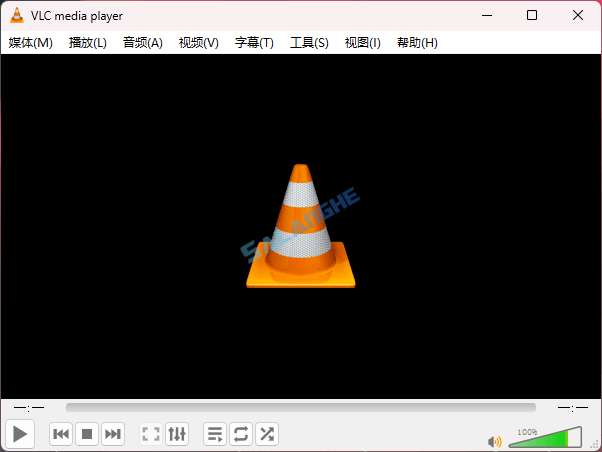
VLC Media Player 是一款开源免费的多媒体播放器,支持几乎所有主流音频与视频格式,包括 MPEG 系列、AVI、MP4、WMV 等,并兼容 DVD、VCD 及多种网络流媒体协议。软件无需额外解码器即可播放文件,启动迅速、操作简洁,同时具备字幕加载、格式转换、网络串流播放等扩展能力,适用于日常娱乐与多媒体处理需求,其中播放器和多媒体领域中它一直保持广泛认可。
# 新版变化
https://forum.videolan.org/viewforum.php?f=14&sid=aef8fb5075f02cfc64049869690c477d
VLC 3.0.22-rc2 Release is now live (14 Nov 2025)
This update contains a few improvements and some fixes:
- Add option to use dark palette (Qt)
- Add compilation support for Qt6 and newer versions of Qt5
- Add Windows ARM64 builds
- Fix support for Windows XP SP3
- Allow renaming/moving/deleting of playing file on Windows
- Restrict SystemParametersInfo calls to Windows XP
- Fix Opus channel mapping
- Fix hardware decoding with VideoToolbox of XVID MPEG-4 video
- Add dav1d-all-layers option
- Fix DVD CEA-608 captions parsing
- Fix ProRes 4:4:4:4
- Disable decoding using libdca, libmpeg2 and liba52 by default in favor of libavcodec
- Handle mkv-use-chapter-codec option
- Add A_ATRAC/AT1 support in matroska
- Prevent FLAC seeking logic get stuck
- Handle pictures in FLAC
- Fix VOB/AOB LPCM/MLP detection failing occasionally
- Cut QNap title on first invalid character
- Fix display of certain JPEG files
- Fix playback of very short ASF files (duration less than 1s)
- Fix crashes in multiple demuxers (reported by rub.de, oss-fuzz and others)
- Fix SFTP seeking for large files on 32-bit OS
- UPnP: remove SAT>IP channel list fallback
- Use a better stretch mode in wingdi
- Fetch missing device information when running in UWP
- Add AMD GPU Frame Rate Doubler (Direct3D11)
# 软件特点
- VLC Media Player 能够在无需额外解码器的情况下播放几乎所有主流与少见音视频格式,为用户提供极高的文件兼容性。
- 它在处理 DVD、VCD 以及多种网络串流源时保持稳定流畅,使其在本地播放与在线媒体场景中均表现可靠。
- 软件界面设计简洁直观,常用功能布局清晰,用户可快速进行字幕加载、音轨切换与播放调节。
- 内置丰富的高级工具,如视频滤镜、音频均衡器、色彩校正等,可满足普通观看与专业处理的多重需求。
- VLC 支持 Windows、macOS、Linux 多平台,并在不同设备上保持一致的性能与功能体验,适合多设备用户使用。
# 功能特性
- 多格式支持:几乎兼容所有音视频格式,无需安装额外编码器。
- 流媒体播放:可直接播放 HTTP、RTSP、HLS 等实时流媒体。
- 字幕管理:支持多格式字幕加载、同步调整和自定义样式。
- 格式转换:内置转码功能,可批量转换音视频格式。
- 播放增强:提供均衡器、滤镜、速度调节与画面校正等工具。
- 网络串流:支持媒体推流与接收,实现局域网或远程播放。
- 插件扩展:可通过扩展组件增强功能与界面体验。
- 截屏与录制:支持视频截图与录制当前播放画面。
- 轻量快速:启动迅速、占用低,适合多场景长期使用。
- 跨平台支持:可在 Windows、macOS、Linux 等系统稳定运行。
# 下载地址
VLC Media Player 3.0.22 Multilingual (2025/11/14)
64-bit Installer (.exe) : https://get.videolan.org/testing/3.0.22-rc2/win64/vlc-3.0.22-rc2-win64.exe
64-bit without installer (.7z) : https://get.videolan.org/testing/3.0.22-rc2/win64/vlc-3.0.22-rc2-win64.7z